
EPOS
Tap it. Or just say it.
An EPOS for iPad and iPhone that anyone can use on their first shift. Orders go straight to the kitchen screen.
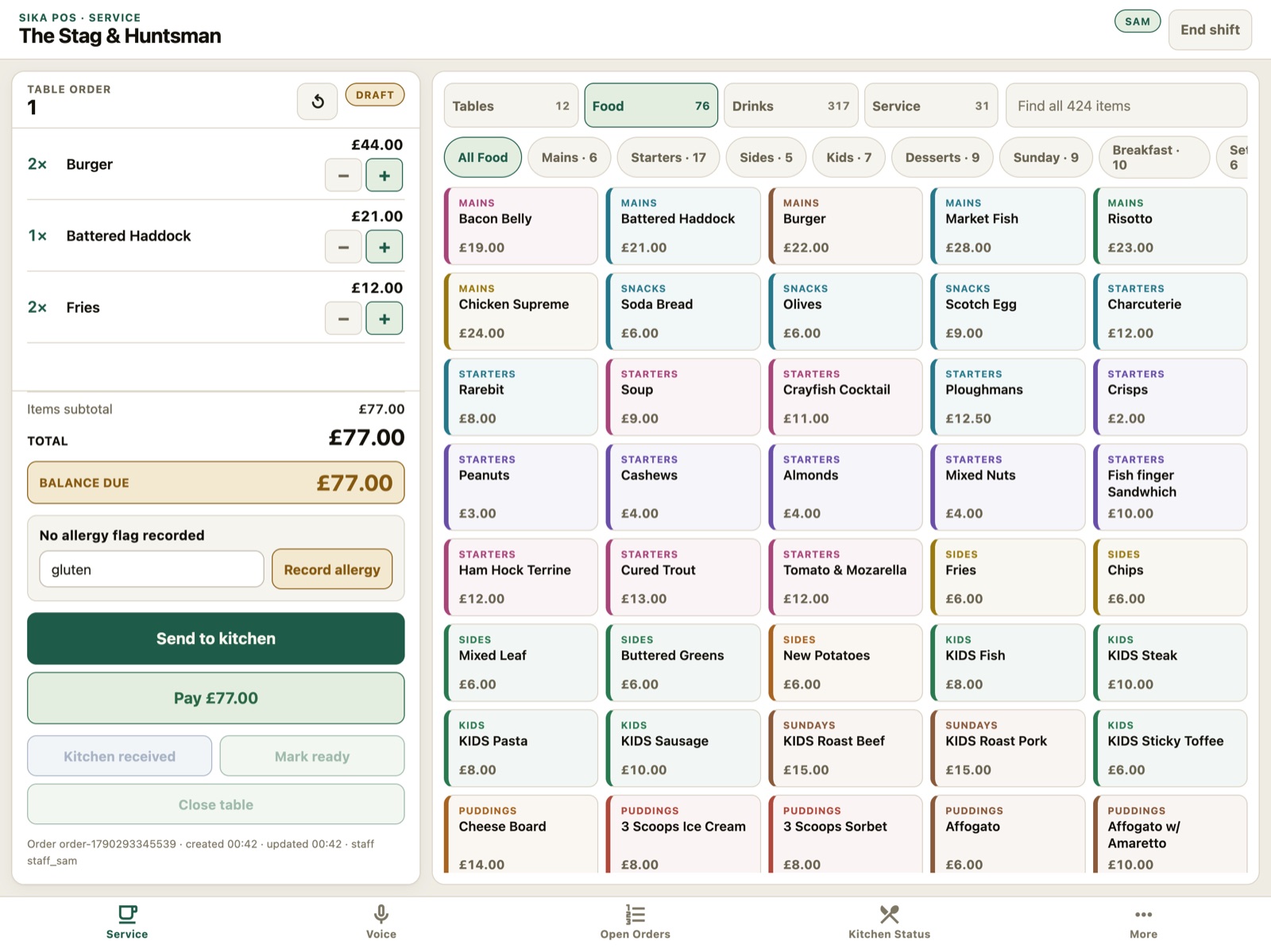 Real product screen · demo order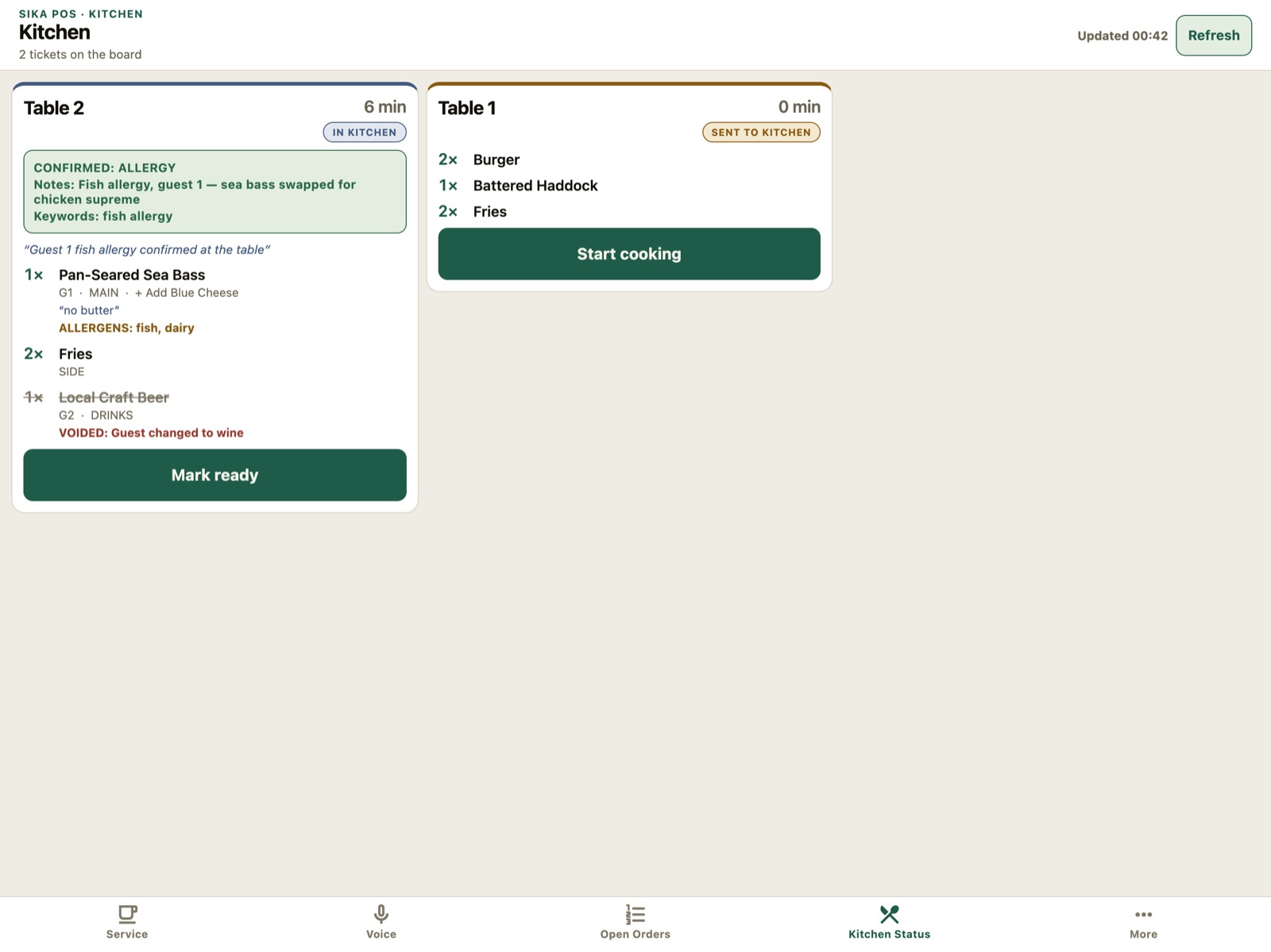
“Two burgers, a battered haddock and two fries for table one.”
3 lines on the ticket · check, then send
↑ Send to kitchen, and table one lands on the kitchen screen.
Real product screen · demo order“Two burgers, a battered haddock and two fries for table one.”
3 lines on the ticket · check, then send
Tap Voice, say the order, check it, send it.
- Simple by design.Big buttons, your menu, nothing you don’t need.
- Say the order.Say it, see it on the ticket, check it, send it.
- A kitchen screen.Orders land on the kitchen screen the moment you send them. Chefs mark them ready.
- Allergies first.Flag an allergy and the EPOS asks you to confirm it before it goes to the kitchen.
Switch without the upheaval.
- Your menu comes across
- Run it beside your current EPOS
- Switch when you’re ready
Payments your way: use your own card machine and record each payment against the bill, or switch over to ours.
Works with
- iPad and iPhone
- your card machine, or ours
- your current menu
You approve
Prices and menu changes go live when a manager says so.
It lands in Today
Yesterday’s sales, in Today by 06:00.
Illustrative — not customer data
Today · Riverside
ComplianceWalk-in 2 above 8°C
StockCost rise on 3 lines
GuestsCallback: party of 12
TeamPrep list short-handed
EPOSSales yesterday: £4,180
Illustrative — not customer data
Today · Riverside
ComplianceWalk-in 2 above 8°C
StockCost rise on 3 lines
GuestsCallback: party of 12
TeamPrep list short-handed
EPOSSales yesterday: £4,180